Thermal Assistant Software Now -- Optimized for Touch-Screen Tablets!
Customer Feedback
This Feedback Forum is for you to share comments or suggestions to help Solar Pathfinder continuously improve the Thermal Assistant Software to meet the needs of our customers and the industry.
-
single-axis tracking model
by Peter CarrieHi Folks: Great tool! I take it the single-axis tracking option is for pole-mounted azimuth trackers. it would be very useful for large systems, if there was a tracking option to handle roll-type ("teeter-totter")trackers aligned on a north-south axis. Thanks!
-
Solar Pathfinder Assistant Software Upgrade
by Jim Krieg ~ SOLAR NETWORK INCThank you for adding the KWH column, company logo option, jpeg export, ect.
Great job on the software!
I LOVE IT!!!
-
MAC version
by Jolyon H. SawreyWe love the pathfinder, the new software appears beneficial but we need a mac version.
-
Re: MAC version
by D SterlingYou could always try VirtualPC (for PowerPC) or Parallels Desktop (for Intel) on a Mac in the meantime.
-
Re: MAC version
by Solar PathfinderWe have several MAC users successfully using the Assistant on a Parallel platform on their MACs. Since most new MACs are coming out with some type of Parallel platform to work PC software, we are not working on a MAC version at this time.
-
Great investment!
by Larry OwensGreat investment! Compared to manually entering each datapoint, the Pathfinder Assistant does it all for you.
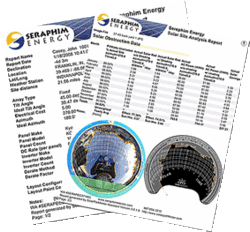
The reports are very helpful when meeting with clients.
Now, if you can come up with numbers for Solar DHW applications it would make an already good product even better!
-
Re: Great investment!
by Solar PathfinderThanks for the comment, Tim. V4 now has Solar thermal! If you like the Assistant for PV, you'll love the Assistant with Thermal!!
-
Fantastic software! Wonderful product!
by Tim GoodingI expect you hear this all the time, but the pathfinder with the new software is fantastic! I had used the "analog" version a few years ago. Effective, but really pretty tedious. Thank you for a really wonderful product.
-
Great sales tool!
by Glen Morris, AustraliaBye-the-way, having been a user of the plain SPF without the software for many years, I must say that the software takes the tool to a much higher level. It's a great sales tool too - looks very impressive when showing a customer their solar window.
Thanks for the good work. I eagerly await each new version.
-
Getting better and better!
by Bob GreeneThanks for your help - got the update and it is working fine.
I like the new features. The Solar Pathfinder Assistant just keeps getting better and better.
-
Excellent software and cusomer service!
by Coy SolarThank you for not only a great product ... but excellent software updates and customer service!!!!!!!!
Coy
-
Great service; great software
by Curt MaxeyAll,
Thanks for your help in achieving an "on time" delivery. I think I opened the link at 1:00 p.m yesterday and I was sitting in the communication director's office with printed reports in hand by 3:00 p.m. He took my proposal to the ORNL Laboratory Director before COB yesterday and I should have a response today.
I appreciate your assistance.
Best regards,
Curt -
GREAT Customer Service!
by Solar Boy DaveThis company has some outstanding customer service. I would recommend solar path finder software to everyone in the in the solar site assessment business. This product makes the site assessor job so much easier, and very professional looking. Thank-you for making site assessing easier, solar pathfinder is so very important to a successful site assessment.
Thanx Solar boy Dave -
Great improvements!
Thanks for informing me about the update to Solar Pathfinder Assistant.
by Geoffrey RichI downloaded the latest update and tried it out. The altitude/azimuth data is easily extracted by doing a copy/paste of the report data into Excel, and then exporting the altitude/azimuth data from Excel as a .CSV file. This works great for my purposes. Export can also be done with text editor like Notepad.
You may want to mention in your advertising materials that the exported altitude/azimuth data can be imported into popular PV simulation tools like PV*Sol and PVSyst. (There are probably others too, but those two tools are the ones I use). The results of the simulations are improved by taking the shading sources into account.
Thanks for considering my request and improving the Solar Pathfinder Assistant program!
-
Technical support "Made in the USA" --MAC User
Thanks for sending this! Now that I understand the reason for the error, I can work around it, and in an even easier way than is suggested in the link you sent.
by RebeccaWhile what you recommended might work, I actually turned on the desktop sharing function specifically for Pathfinder, because I needed to be able to access the images which are on the Mac side (also used for the site report and FIle Maker Pro data base entries for each customer).
Instead of turning off this desktop sharing, here's what I did instead:
When saving a test SPA file, I made sure to put it in a folder that is on the Windows side, part of 'My Computer.' I even went back and took a few of the other spr files I was unable to re-open, and dragged them into my folder on the Windows side, and was now able to open then just fine with SPA. So it really has nothing to do with where the file is kept or saved, but only with needing it to be on the Windows side before re-opening. While it is a minor hassle to do this, it is certainly a reasonable work-around. I'll keep storing the files in the customer folders as I always do, and if/when I need to re-open the spr file to do additional work, I will just move it to the Windows side in order to open it.Thanks so much for pursuing this! I very much appreciate such personal technical support, and hope this solution might come in handy down the road as other users figure out that this is a problem. We look forward to the Mac version one day. :-) Technical support 'Made in the U.S.A.' has DEFINITE advantages! Thanks again.
Keep Shining! -
Master Gardener
by JayI'm excited about my new SPF and Assistant software, which I bought to
remove some of the guesswork from our home landscaping efforts. And I'm
amazed that this tool isn't more prevalent in the gardening world. My wife
the Master Gardener wants to show it off to the other county MG's, some of
whom run garden consulting businesses which could really benefit from it. I
just wish the software had the option of displaying its results directly in
gardening terminology, like "hours of morning sunlight" and "hours of
afternoon sunlight".
Related Products: